Table of Contents (16 sections)
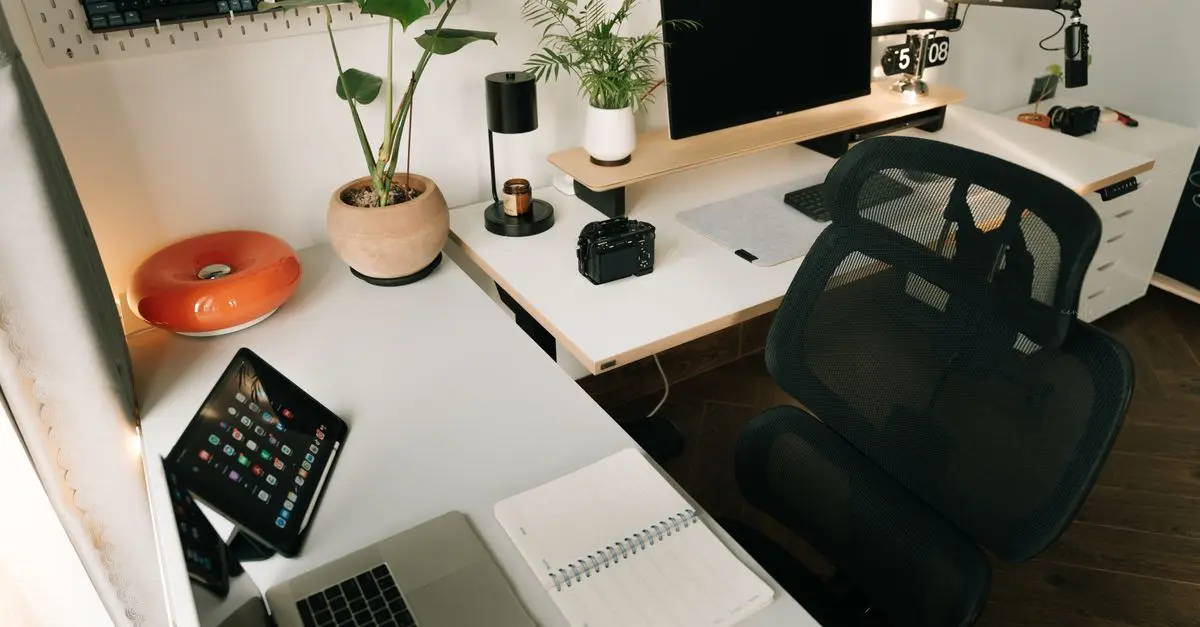
Working from home has become a norm for many, and enhancing your home office setup with the right gadgets can significantly improve productivity and comfort. This guide explores essential home office gadgets that cater to various needs, ensuring you create an efficient workspace. Here’s what you need to consider:
1. Ergonomic Chair
A comfortable chair is crucial for long working hours. Ergonomic chairs are designed to provide support that enhances posture and reduces physical strain. Look for features like adjustable seat height, lumbar support, and breathable fabric. According to a study by the American Chiropractic Association, poor posture can lead to long-term back issues; investing in a quality ergonomic chair can prevent such problems.
2. Adjustable Standing Desk
Switching between sitting and standing while working can boost energy levels and productivity. Adjustable standing desks allow you to change your workspace according to your comfort. Many models come with built-in presets to effortlessly shift positions. Research indicates that standing more throughout the workday can improve mood and energy levels by up to 32% according to Healthline.
3. High-Quality Webcam
With remote meetings becoming routine, a high-quality webcam is a must. Look for options that offer at least 1080p resolution for clear video quality during calls. Brands like Logitech provide excellent webcams that have built-in lighting corrections and autofocus capabilities. A good webcam can significantly enhance how you communicate with colleagues, presenting a clearer and more professional image.
4. Noise-Canceling Headphones
Distractions abound in a home environment. Noise-canceling headphones are your best defense against these interruptions. Whether you’re in a bustling household or simply need to focus, these headphones can block out unwanted noise. According to 60 Millions de Consommateurs, models with both passive and active noise cancellation offer the best results, allowing for immersive listening.
5. Wireless Charging Station
Clutter can hamper focus. A wireless charging station not only keeps your devices organized but also ensures they remain charged throughout the day. Opt for a multi-device charger that supports various technologies, including Qi. This technology allows for faster charging and helps declutter your workspace by minimizing cable mess.
6. Smart Desk Organizer
Staying organized boosts productivity. A smart desk organizer offers compartments for your stationery along with wireless charging capabilities for your devices. Some models even include LED lights and Bluetooth speakers. According to the UFC-Que Choisir, staying organized can increase work efficiency by as much as 25%.
7. LED Desk Lamp
Proper lighting is essential for prolonged work sessions. An LED desk lamp with adjustable brightness can help prevent eye strain. Many modern lamps come with features such as color temperature adjustment, which allows you to choose cool light for tasks requiring focus and warm light for casual reading. Brands like BenQ are known for models that minimize eye fatigue, enhancing your overall workspace experience.
8. Smart Speakers
Why not multitask while you work? Smart speakers can play music, set reminders, and answer quick queries hands-free, allowing you to stay on task. Models like Amazon Echo and Google Nest have built-in voice assistants that offer convenience during your day. The integration of task management tools with smart speakers helps streamline workflow effectively.
9. Cable Management Solutions
Nothing disrupts focus like tangled wires. Implementing cable management solutions keeps your workspace tidy and visually appealing. Options such as cable sleeves, clips, and ties help in organizing cords efficiently. A tidy desk can help clear your mind, making it easier to concentrate on tasks at hand.
10. Multi-Device Bluetooth Keyboard
If you use multiple devices, a multi-device Bluetooth keyboard can be a game-changer. This gadget allows you to switch between devices seamlessly, making it easier to work and communicate without needing different keyboards for each device. Look for models with good tactile feedback and battery life to enhance your typing experience.
11. Document Scanner
For a paperless office approach, a document scanner is crucial. Scanning important documents allows you to keep everything organized and accessible. Many models are compact and feature cloud connectivity, making it easier to store and retrieve documents whenever needed, enabling more efficient workflows.
12. Virtual Assistant Software
Lastly, consider investing in virtual assistant software. Solutions like Trello or Notion help manage tasks and timelines, providing a clear overview of your projects. Studies show that organizations using virtual assistant software boost productivity by over 30%, making it an invaluable tool in your home office setup.
💡 Expert Opinion: A well-equipped home office can improve your work performance dramatically. According to Owl Labs, a dedicated workspace increases focus and productivity.
📺 Resource Video
For additional insights, check out [How to Create an Effective Home Office Setup], an in-depth analysis of home office gadgets and organization tips. Search on YouTube: "home office gadgets 2026".
Checklist before Purchase
- [ ] Ensure ergonomic support in chairs
- [ ] Evaluate standing desk height adjustments
- [ ] Check webcam resolution and features
- [ ] Compare noise-canceling capabilities of headphones
- [ ] Assess charging speed and compatibility for wireless chargers
- [ ] Look for additional features in smart organizers
- [ ] Consider brightness levels and energy-saving features in desk lamps
- [ ] Investigate functionality and device compatibility for Bluetooth keyboards
Glossary
| Term | Definition |
|---|---|
| Ergonomic | Designed for efficiency and comfort in the working environment. |
| Noise-Canceling | Technology that reduces unwanted ambient sounds. |
| Qi | A standard for wireless power transfer, allowing device charging without cables. |
🧠 Quick Quiz: What is the main benefit of using a standing desk?
- A) Improves posture
- B) Reduces productivity
- C) Increases clutter
Answer: A — Many users report improved posture and increased productivity with standing desks.


