Table of Contents (11 sections)
When it comes to purchasing technology, it's easy to feel overwhelmed. Smart tech shopping isn't just about buying the latest gadgets; it's about making informed decisions that align with your needs and budget. This guide will walk you through each critical step to ensure you’re equipped to make the best choices.
Step 1: Define Your Needs and Budget
Before diving into the world of smart technology, the first step in smart tech shopping is to clearly define your needs. What do you want to achieve with your tech purchase? Whether it’s for your home, office, or personal use, outlining your requirements can dramatically narrow down your options. Additionally, setting a budget is crucial; it helps you stay focus so you don’t overspend while also allowing you to prioritize must-have features over nice-to-have extras.
Consider creating a list of the functionalities you most desire. For example, if you're looking for a smart thermostat, features like energy efficiency, ease of use, and compatibility with your current smart home system might be important. By clarifying your needs and financial limits upfront, you're less likely to make regrettable purchases or fall into the trap of impulse buying, which is a common pitfall among consumers today.
Step 2: Do Your Research
Knowledge is power, especially in technology. After defining what you need, take the time to research the available options. This step shouldn't be rushed. Explore online review sites, tech publications, and consumer forums to gather insights about devices that catch your interest. Sites like Les Numériques and UFC-Que Choisir provide in-depth reviews and comparisons that can aid in understanding how products perform in real-life scenarios.
Don't forget to check for updates on forums such as Reddit or tech-related subreddits, where users share their experiences and practical advice. By gathering comprehensive information, you'll make a more informed decision and avoid common issues that unprepared buyers often face, such as device compatibility problems or hidden costs associated with ownership.


Step 3: Compare Products
Once you’ve shortlisted products that fit your criteria, it’s time to compare them. This step is about evaluating how each product stacks up against the others. Creating a comparison table can be immensely helpful. Below is an example of what that might look like:
| Feature | Product A | Product B | Product C | Verdict |
|---|---|---|---|---|
| Price | $299 | $349 | $279 | Product C is cheapest |
| Compatibility | iOS/Android | Only iOS | iOS/Android | Product A & C are versatile |
| Energy Efficiency | 4.5 Stars | 4 Stars | 5 Stars | Product C is most efficient |
| User Reviews | 150+ Reviews | 200+ Reviews | 100+ Reviews | Product B has more feedback |
Step 4: Check for Deals and Discounts
Before finalizing your purchase, always check for deals or discounts. There are numerous ways to save money while smart tech shopping. Websites like Honey can help you find discount codes automatically, while cash-back programs can save you a percentage on purchases. Additionally, consider subscribing to newsletters from your favorite tech retailers to stay updated on exclusive sales events.
Shopping during holidays or special events such as Black Friday can also yield significant savings. However, exercise caution: do not let marketing hype drive your purchases. Stick to your defined needs and budget to ensure you make sound purchases rather than impulsive ones.
Step 5: Verify Product Warranties
Understanding product warranties and return policies is crucial before making your final purchase. Technology can sometimes be temperamental, and having comprehensive coverage is essential. Before buying, review the warranty documentation associated with your products of interest. A longer warranty often indicates the manufacturer's confidence in their product's durability.
If a return policy allows you to return an item within a specific timeframe for a full refund, it gives you the freedom to try out the product to ensure it meets your expectations. This step is particularly important for tech purchases, where compatibility and functionality may differ significantly from consumer expectations.
Checklist before purchase
- [ ] Define your technology needs
- [ ] Set a budget for your purchase
- [ ] Research products thoroughly
- [ ] Compare options in a table
- [ ] Look for discounts and deals
- [ ] Understand warranty and return options
💡 Expert Opinion: Make sure you keep an eye on upcoming tech trends. Emerging technologies can alter the marketplace dynamics quickly. Delaying a purchase for a few months can potentially lead to better options or lower prices!
🧠 Quiz rapide : What is the first step in smart tech shopping?
- A) Buy on impulse
- B) Define your needs and budget
- C) Research the latest gadgets
Réponse : B — Defining your needs upfront sets a solid foundation for all subsequent decisions.
📺 Resource Video
> For further insights, check out "How to Shop Smart for Tech: Tips and Tricks", a complete analysis of smart tech shopping. Search on YouTube: "smart tech shopping guide 2026".
Glossary
| Term | Definition |
|---|---|
| Smart Device | A device that connects to the internet, able to be controlled remotely. |
| Compatibility | The ability of a device to work with other devices or systems. |
| Warranty | A guarantee provided by the manufacturer covering repairs or replacement for a specified time. |
Finally, we have selected several products suited for your tech needs, ensuring they provide excellent value and practicality.
Recommended products
Selected by our experts
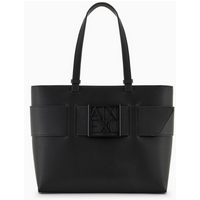
Sac Shopping Arthur & Aston noir en cuir
3 Suisses FR
This stylish black leather shopping bag is perfect for carrying your tech purchases and daily essentials.
Sac shopping S noir
3 Suisses FR
A refined black shopping bag that embodies elegance, ideal for the discerning tech shopper.
Sac shopping L noir
3 Suisses FR
This chic cabas bag combines functionality with style, perfect for tech enthusiasts on the go.